Configuring for metadata-less player site layouts
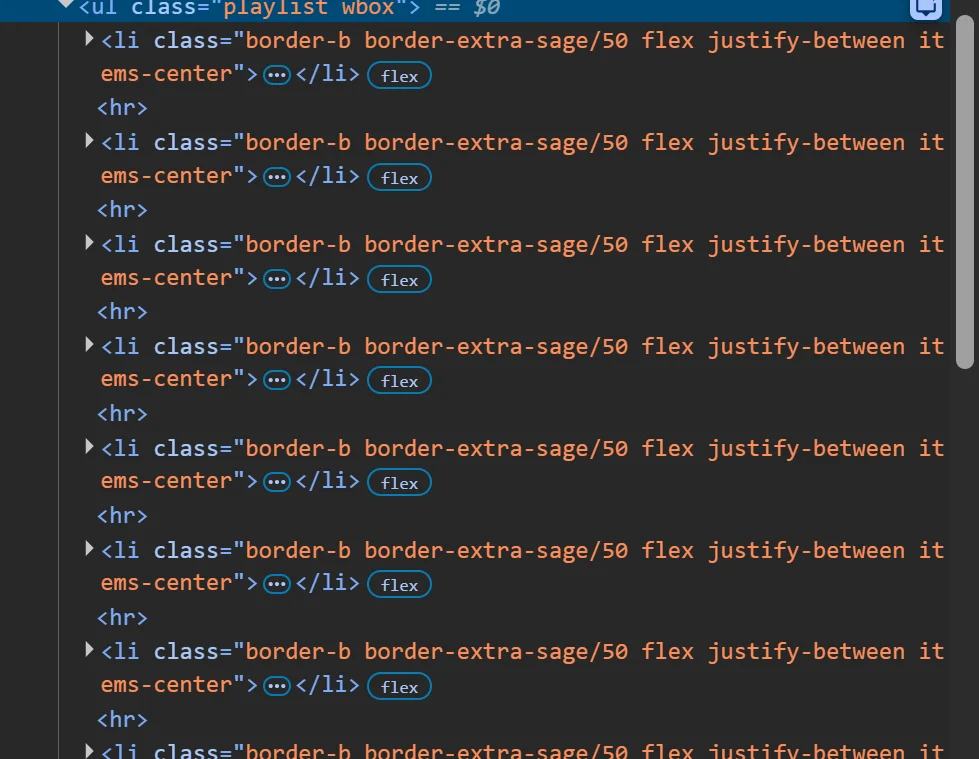
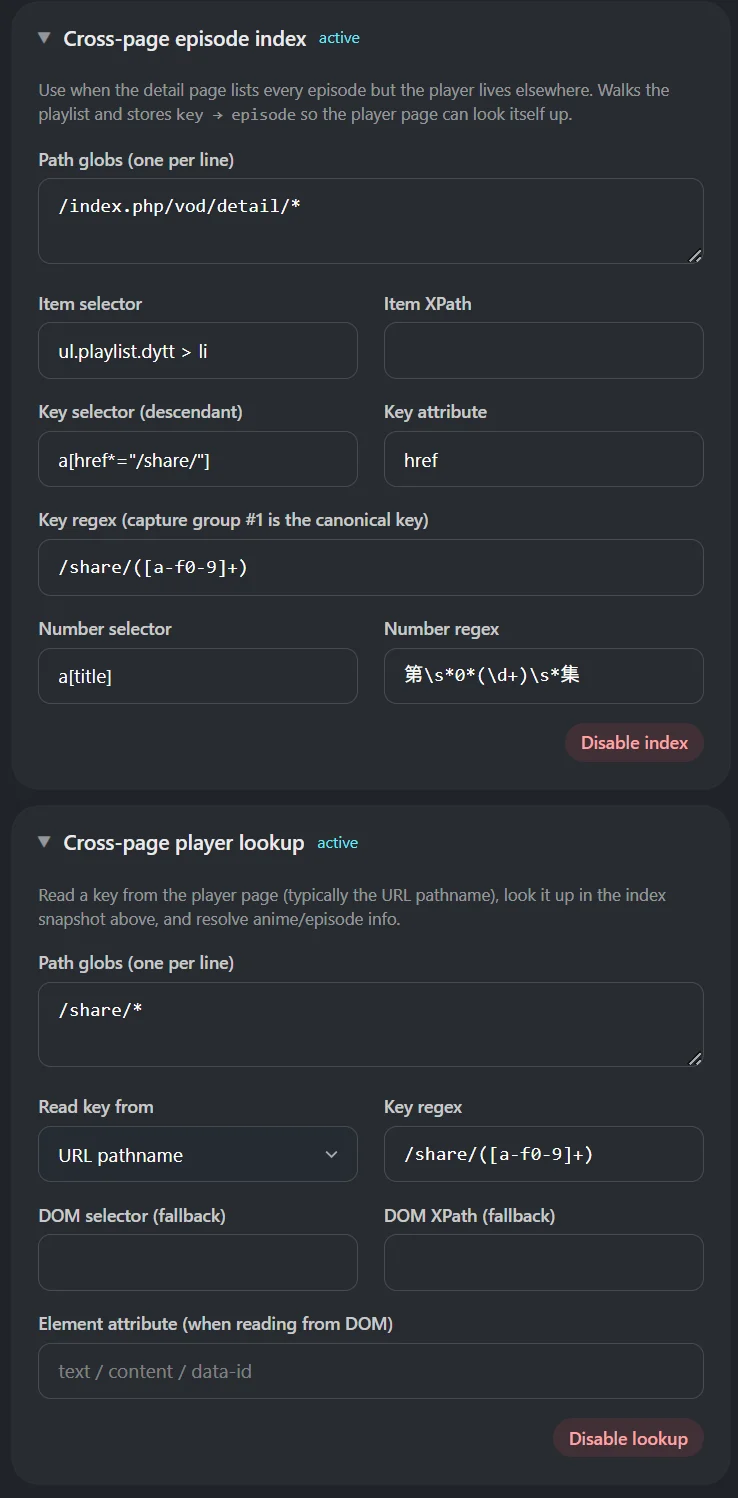
Some particular websites may not have metadata (i.e. anime name, or episode number) on your episode-related page which can be common within Asia/regional-specific sites or when sites use particular CMS (Content Management Systems). Hayami has outside episode page support (called episode index), but this only works by manually setting it up through the extension’s popup, which may require some fiddling through Developer Tools (otherwise known as “Inspect Element”) through your browser. The tips on how to obtain variables for KomentoScript JSON may help you complete this for your given site.Adding a new site to Hayami and using the Advanced Editor
On your episode listing page, right click > Map site with Hayami.
Select the anime name, then hit Save.
Using the Advanced Editor
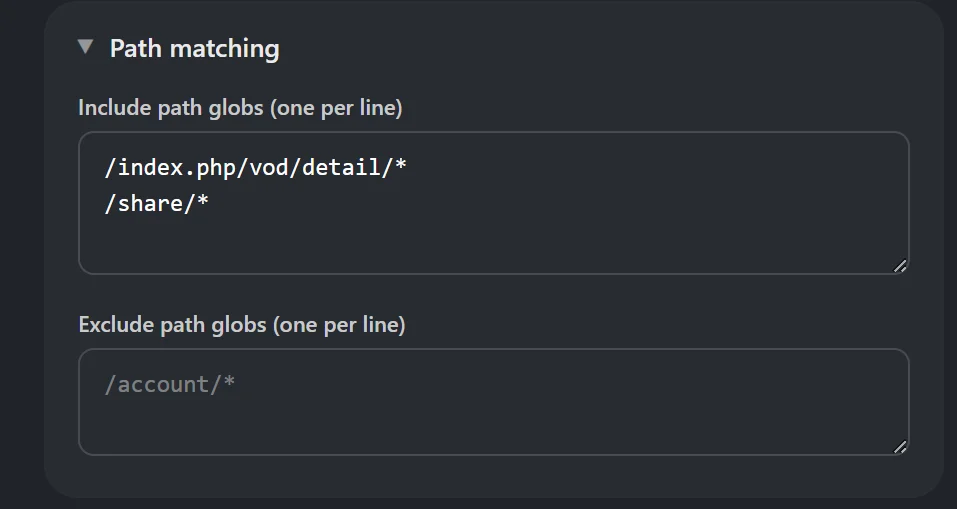
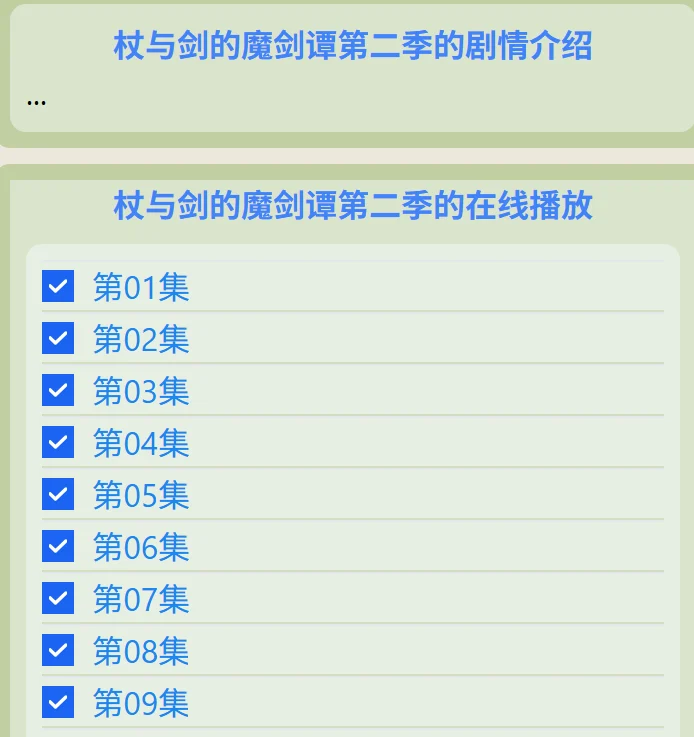
In the Advanced view, fill out the rest of the elements you usually do. So where is the episode page located (e.g. /episode/*), then adding that in “Patch matching” > “Include path globs”. In the following instance:- /index.php/vod/detail/* - where the episode listing page is
- /share/* - where the video player is for each anime